![iAM Learning logo-1.png]](https://support.iamlearningcontent.com/hs-fs/hubfs/iAM%20Learning%20logo-1.png?height=50&name=iAM%20Learning%20logo-1.png)
This article is for Training managers, Champions and Group Admins
Head to the reports section and select the "courses at a glance" option. 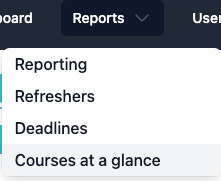
Select the courses you'd like to see.
Select the groups you'd like to view against.
Choose the time period you'd like to see.
Press the refresh button and you'll see your data results: 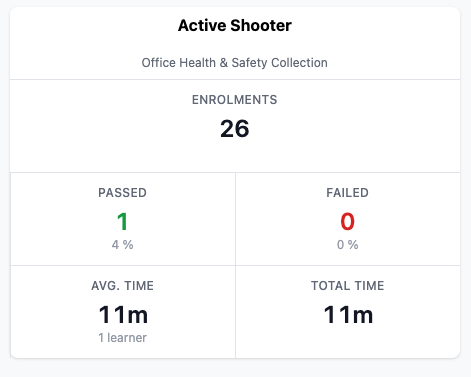
Please note that this view is not exportable as a CSV.