![iAM Learning logo-1.png]](https://support.iamlearningcontent.com/hs-fs/hubfs/iAM%20Learning%20logo-1.png?height=50&name=iAM%20Learning%20logo-1.png)
This article is for Training Managers, Champions and Group Admins with edit access.
You can add a new group from your groups tab area. If you have a lot of new groups to add, get in touch with the help desk to see how they can help you with bulk additions.
Navigate to your groups tab:
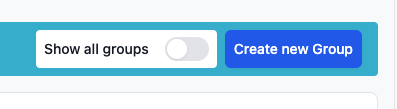
In the top right corner click "create group"
Name the group as you wish, then click save.
Your group is now created. You can add users and manage content as usual.