![iAM Learning logo-1.png]](https://support.iamlearningcontent.com/hs-fs/hubfs/iAM%20Learning%20logo-1.png?height=50&name=iAM%20Learning%20logo-1.png)
This article is for Training Managers
The welcome email has a link for users to join the system. This expires after 48 hours so you might need to resend it to users
Option 1: send individual reminders
Head to the users tab on the training manager and find the person you'd like to resend the invite to.
Click the orange paper plane icon and the invite will be sent straight away. 
Option 2: Bulk send emails.
You can do this via the "bulk upload" tool on the users tab. Ensure you have all the users you would like to get the email on the CSV file. All of the users on the list will receive the email.
Upload the file, and ensure you have the "Send welcome email - existing users" toggle switched on. 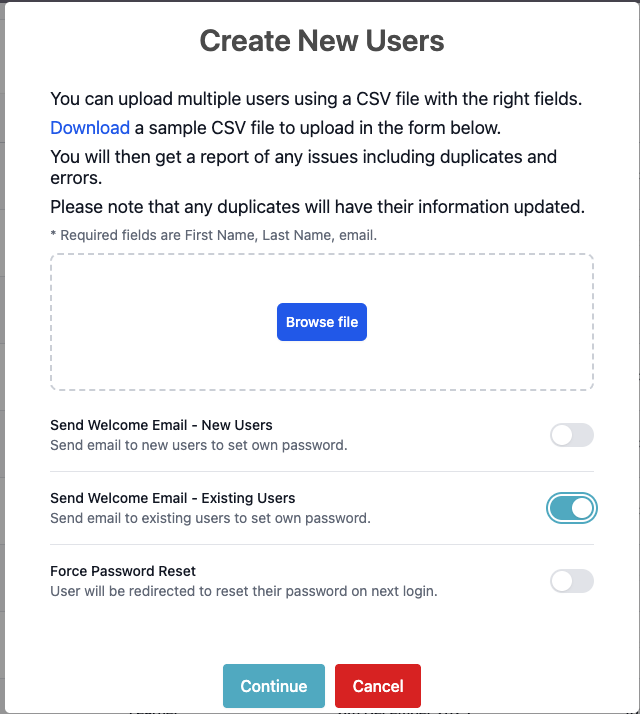
As soon as you press continue, that email will be sent out to your users.