![iAM Learning logo-1.png]](https://support.iamlearningcontent.com/hs-fs/hubfs/iAM%20Learning%20logo-1.png?height=50&name=iAM%20Learning%20logo-1.png)
This article is for all users
To take a look at the grades and completions for the courses you have taken you can view them in one place in your profile.
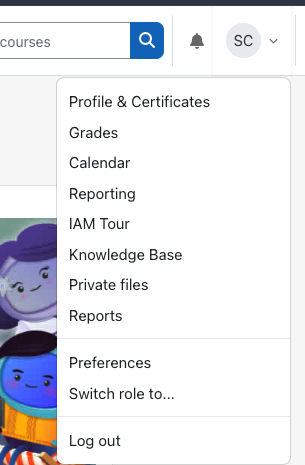
From the menu option when you click your initials in the top right hand corner of the screen. Then select "grades":
You'll then see the full list of courses available to you: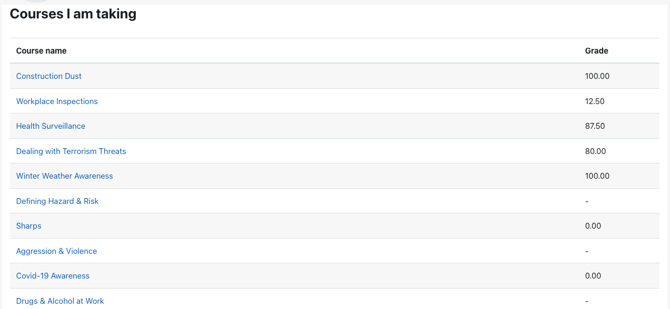
Any courses you've completed that has a quiz will show your score. Please note that you'll need to score 80% or higher to pass. If you see a score under 80%, that will show as a fail on your report.
If you take a course and there is no quiz at the end, you'll see a score of 0.00 to show you've completed it.
Any courses with a dash means the course is available to you, but you either haven't started the course yet, or you have an incomplete attempt.