![iAM Learning logo-1.png]](https://support.iamlearningcontent.com/hs-fs/hubfs/iAM%20Learning%20logo-1.png?height=50&name=iAM%20Learning%20logo-1.png)
This article is for All Users
When you are taking a course you've already previously taken, you will see two button options:
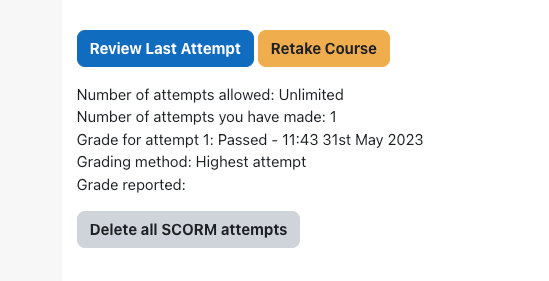
Review Last Attempt.
This is a view only version of the course and WILL NOT record the session. This view is designed to let you check information and remind yourself of something should you wish to reference it. The certificate will not update and your Learning and Development team will not see that you've viewed the content.
Retake Course.
This is a brand new attempt and will record your attempt. This will also override the previous score you had. It's important to only select this option if you want or need to take the course through to completion.
Refresh Course
If you've received an in-platform reminder or email, you may need to refresh one of your courses. This is typically on an annual basis, but may also have been customised by your L&D Team. You can see which courses will need refreshing from your grades page and also via an orange repeater circle displayed within the course pages themselves.
Please note that the iAM Learning content is designed to be taken in one sitting. If you have an incomplete attempt, you will need to select retake course and complete a fresh attempt in one sitting for the course to register a pass.